Clients point. You fix.
That’s done.

That’s Done is a WordPress plugin that lets clients click anything on their new website to comment on it, draw on it or approve it. Screenshots, screen sizes and a dated sign-off record come built in.
  • 30-day money-back guarantee
  • Feedback stays on your own server
  • No accounts for your clients
  • Works with Elementor and block themes
harbourco.example/?review
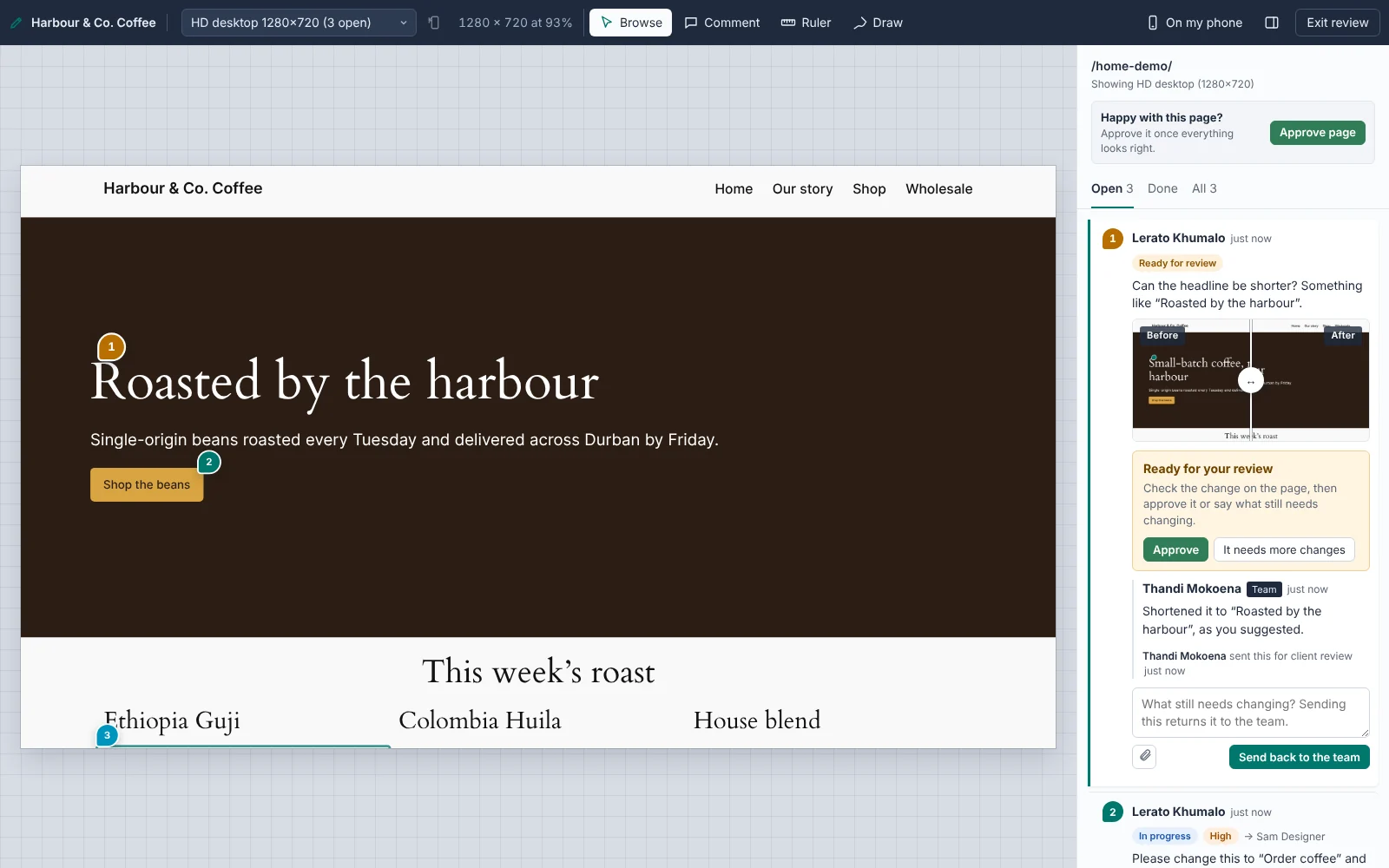
Review mode on a coffee shop website: numbered pins on the headline and button, and a sidebar asking the client to approve a change, with before and after screenshots.
Clients click anything to comment
Before and after, side by side
Approved in one click
14phone, tablet and desktop sizes to review at
0accounts or passwords for your clients
1 clickfor a client to approve a change from their email
1 PDFwith every approval and change, dated

From "can you move this?" to signed off

No more screenshots pasted into emails, or "the button on the page with the thing". Feedback lives on the page it's about.

  1. Send a link

    Add your client and they get their own link by email. No account, no password.

  2. They point at things

    Clients click anything to comment, draw where something should go, or attach a file. A screenshot is saved every time.

  3. You fix and send back

    Assign it, fix it, and send it for review. An "after" screenshot is taken for you.

  4. They approve

    One click from the email approves the change. When a page is done, they approve the page.

See it the way they do, on any screen

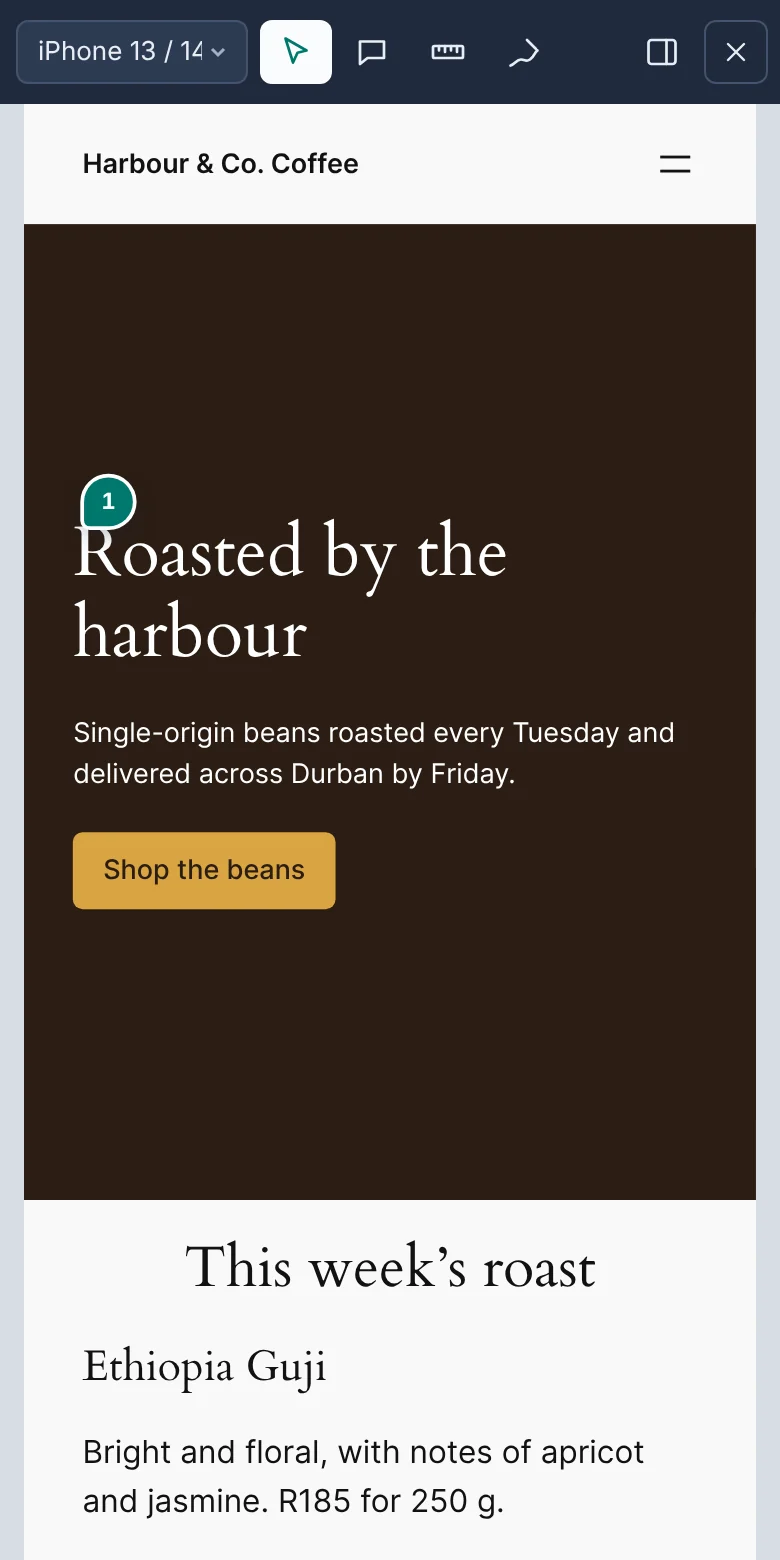
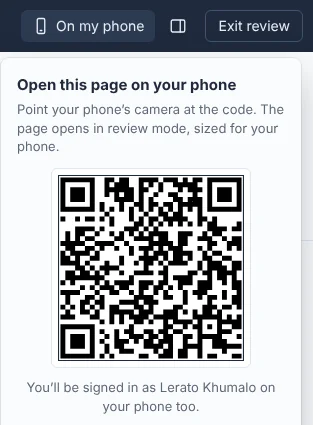
Review every page at 14 real phone, tablet and desktop sizes, or scan a code to open it on your own phone.
  • Feedback belongs to the size it was left at, so mobile fixes don't get lost among desktop ones
  • Pins stay on the right element through carousels, animations and sticky headers
  • A ruler for measuring spacing and checking alignment
More about review mode
A client's comment pinned to the headline on the phone view.
The 'Open on my phone' QR code.

Sign-off clients actually finish

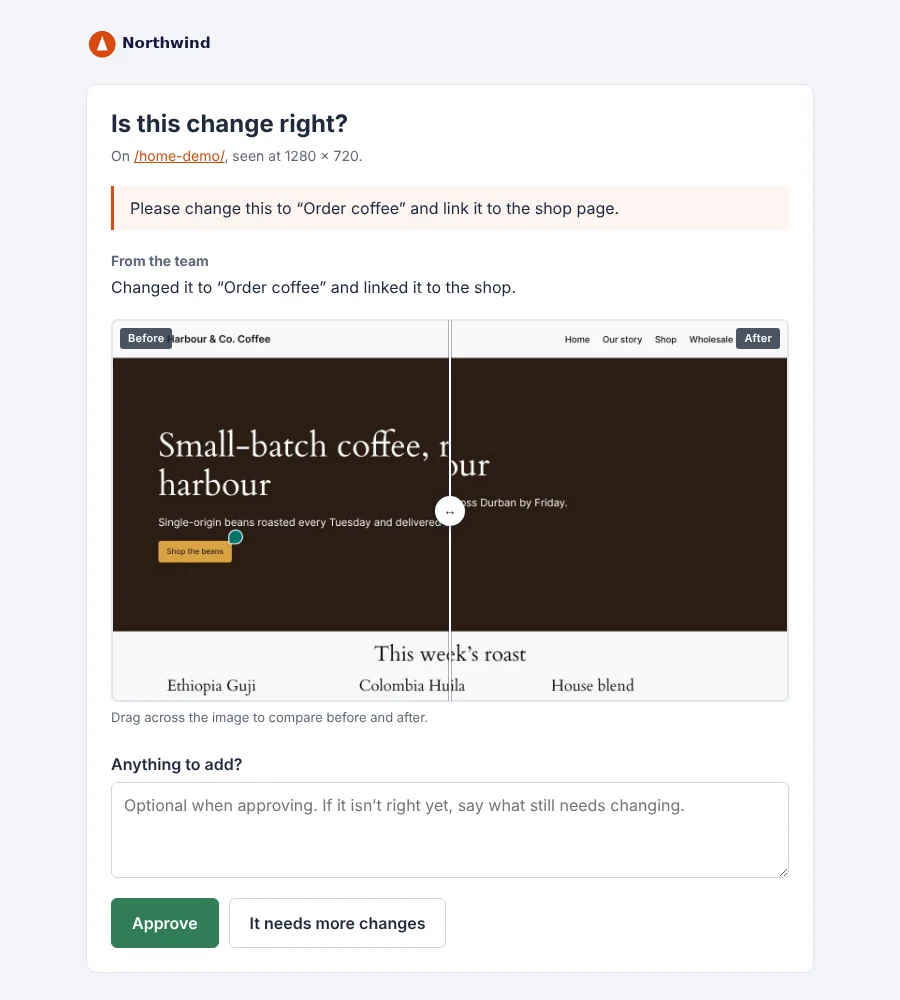
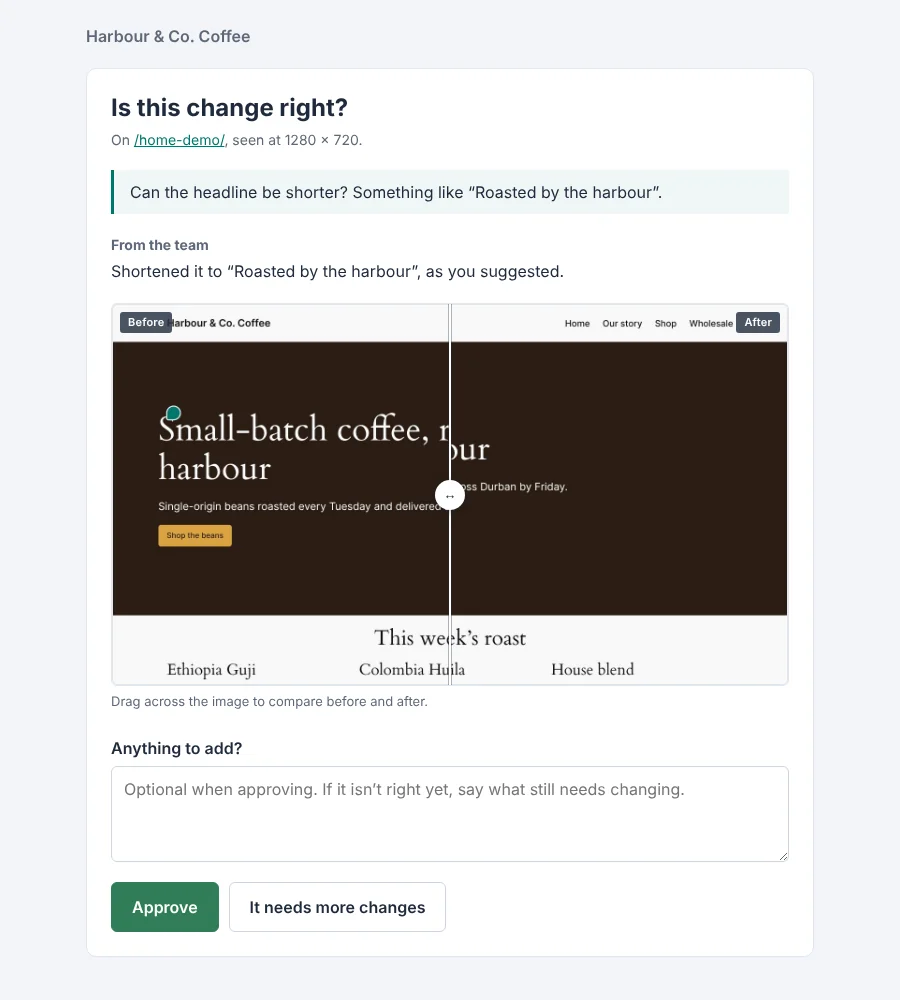
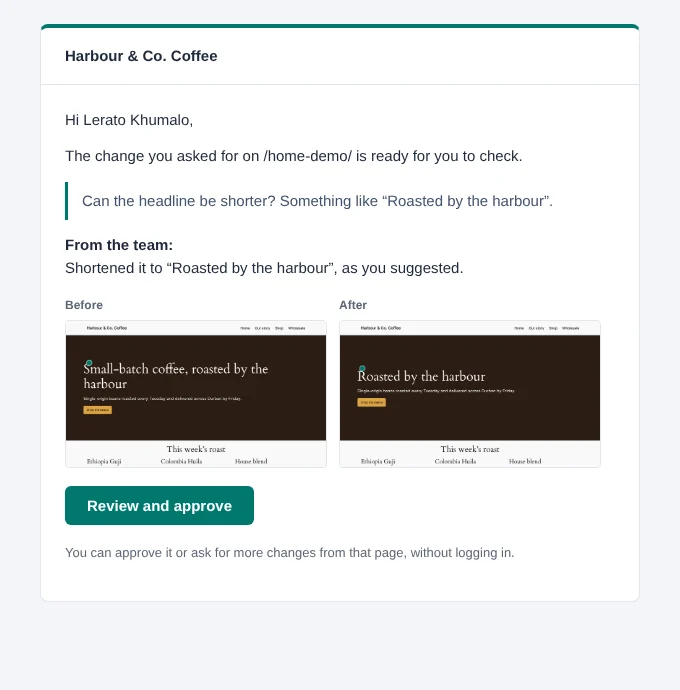
When you've made a change, send it for review. Your client gets a before and after in their inbox and approves with one click, no login needed.
  • The "after" screenshot is taken for you, framed exactly like the original
  • "It needs more changes" sends it straight back to your team with their note
  • Approve whole pages too, at every screen size or just one
More about sign-off
The client sign-off page with a before and after slider and Approve button.
The 'Ready for your review' email with before and after images.

A board your whole team can work from

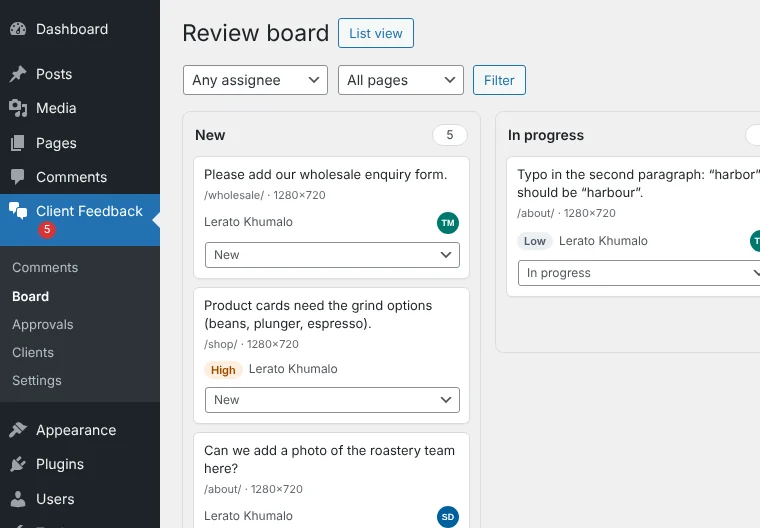
Every piece of feedback, on every page, in one place. Assign it, prioritise it, and drag it along as the work gets done.
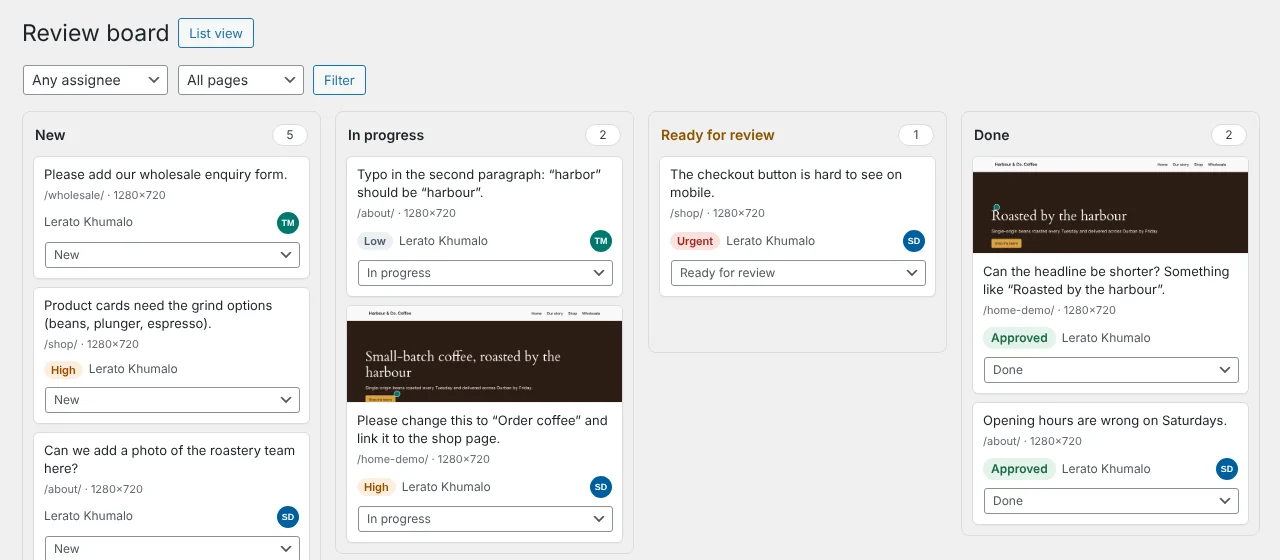
  • New, In progress, Ready for review and Done, with a full history of who did what
  • @-mention a colleague or the client and they get an email
  • Filter by page, screen size, person or "mentions me"
More about the workflow
The review board with columns for New, In progress, Ready for review and Done.

Proof it was approved, in a PDF

When the site's ready to launch, download a sign-off report: every page, every approval and every change, with dates, names and screenshots.
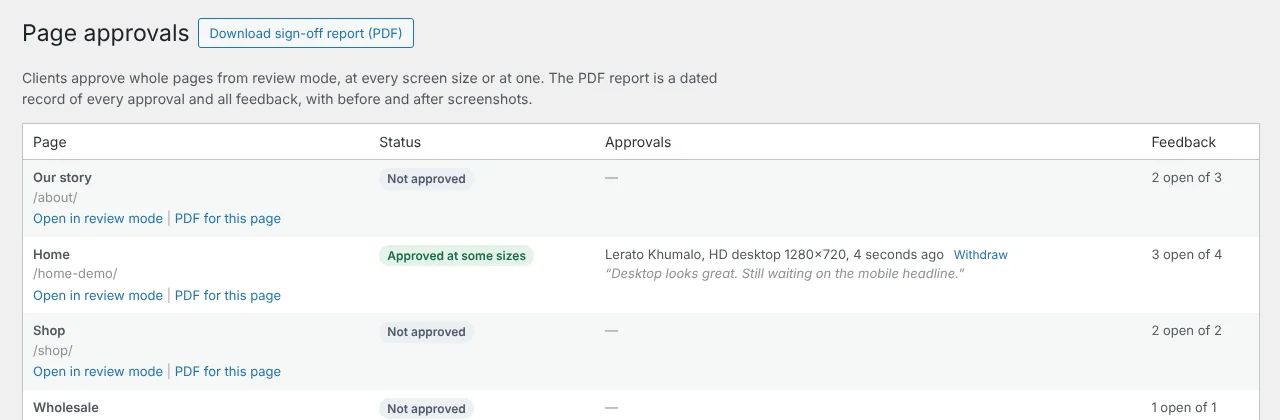
  • A clear record for launch day, and for "we never agreed to that"
  • See which pages are approved, and which changed after approval
  • Branded with your logo and colours
More about approvals
The Approvals screen listing each page's approval status.
A page from the PDF sign-off report.

Bug reports that explain themselves

Every comment quietly records what your developers would otherwise have to ask: the browser, the screen, the page and any errors on it.
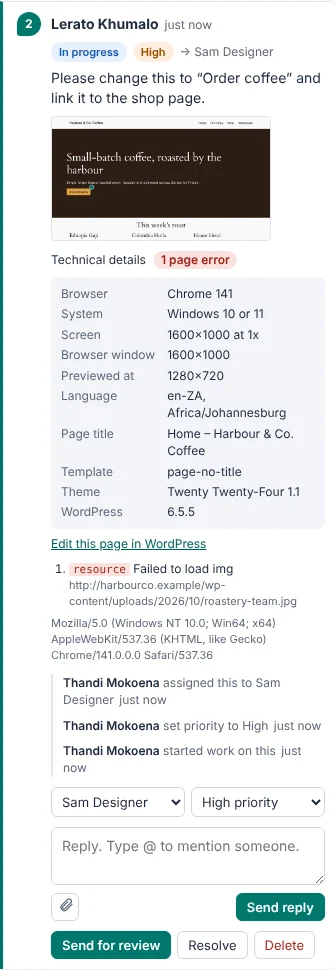
  • Browser, device, screen and window size, language and time zone
  • JavaScript errors and images that failed to load
  • A link to edit the page in WordPress. Clients never see any of it
More about bug details
A comment's technical details: browser, system, screen and page errors.

Your brand on everything your clients see

Your clients never need to know we exist. Add your logo and colour once, and the review screen, emails, sign-off pages and PDF reports all look like they came from your studio.
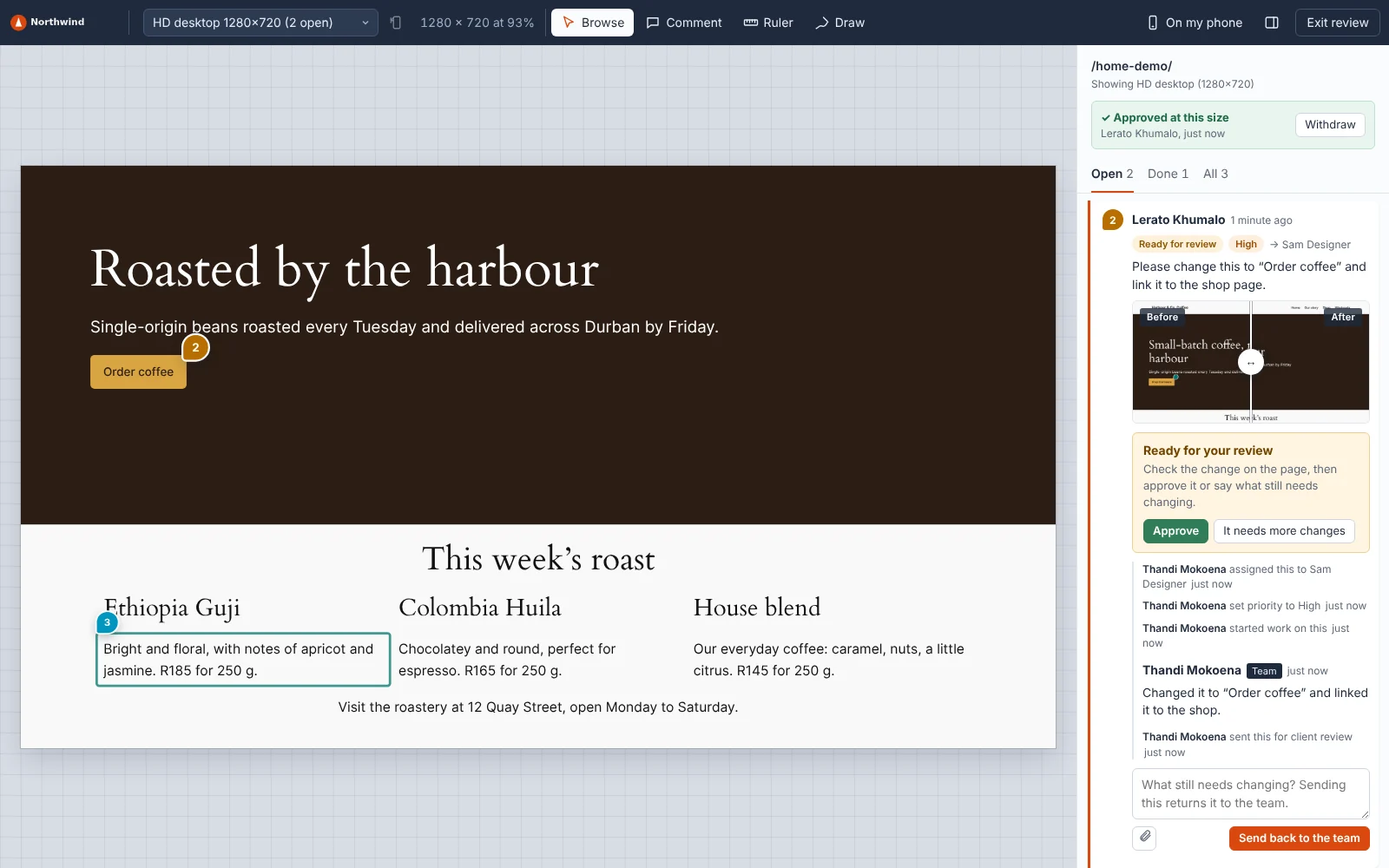
  • Your logo in the review toolbar, with a separate version for dark backgrounds
  • Your colour on pins, buttons and highlights. Button text adjusts automatically so it stays readable
  • Emails sent in your name, from your address
  • Sign-off pages and PDF reports with your logo and colours
  • Your own name in the WordPress menu, such as "Client Feedback"
More about white-labelling
Review mode branded for an agency called Northwind, with its logo in the toolbar and orange pins and buttons.
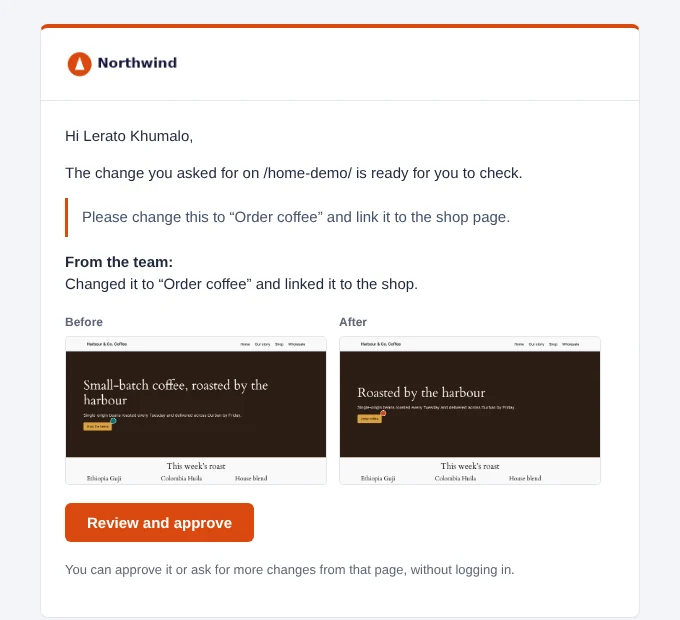
A 'Ready for your review' email sent by Northwind Studio in its orange colour.
The sign-off page with Northwind's logo.
Sign-off pagesClients approve changes on a page that carries your name.
The WordPress menu showing 'Client Feedback' instead of the plugin's name.
Your name in WordPressClients with a WordPress login see your label, not ours.
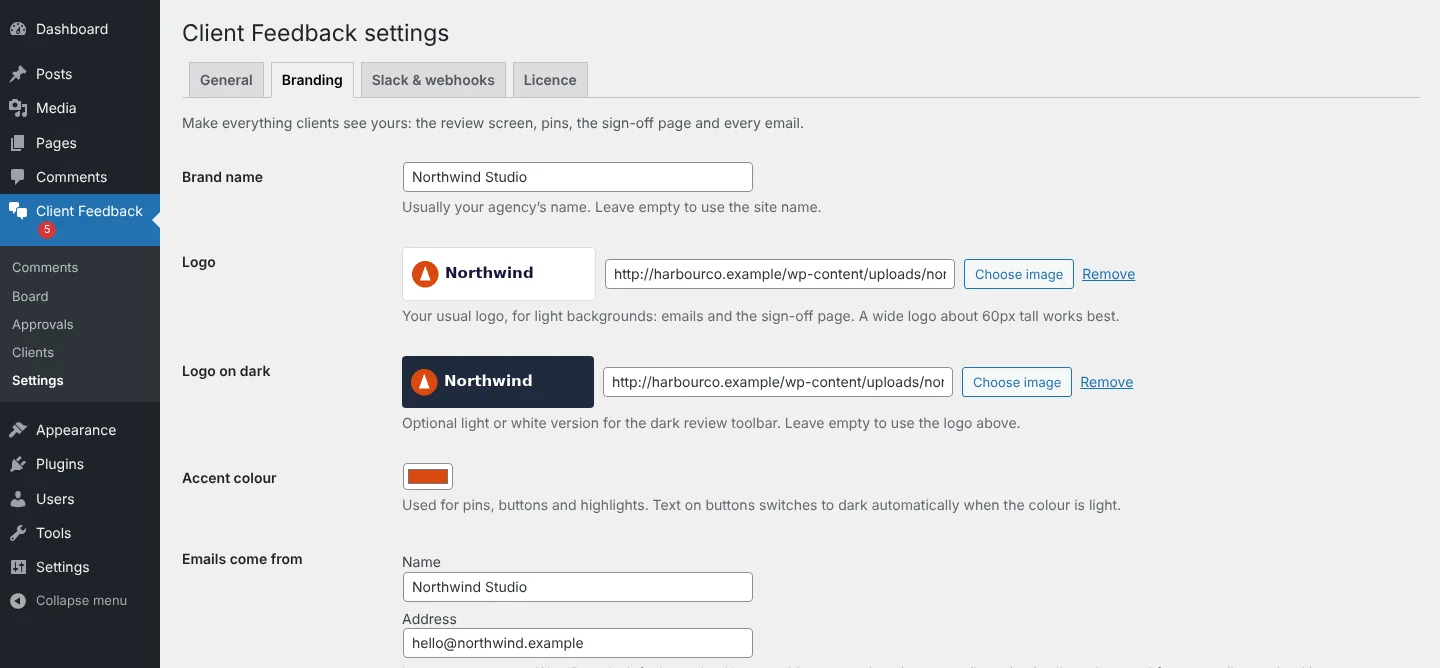
The branding settings: brand name, logos, accent colour, email sender and menu label.
One screen to set upBrand name, logos, colour, email sender and menu label.

White-labelling is included on every plan. The example above is a fictional agency.

Built for the way you work

Run every launch the same way

Give each client their own link, assign feedback to designers and developers, and finish every project with a signed-off PDF. White-label it so clients only ever see your brand.

  • Personal links per client, switched off in one click
  • Slack alerts for new feedback and approvals
  • Webhooks for Zapier, Make and your own tools

Fits into the tools you already use

Post feedback and approvals to Slack, or send them anywhere with signed webhooks.

  • Slack
  • Zapier
  • Make
  • n8n
  • Your own code
  • Elementor
  • Block themes

Real help from the people who built it

Questions go to the team that wrote the plugin, not a call centre.

  • Email support included with every licence
  • A full help centre and a one-page guide to send your clients
  • Regular updates for new WordPress versions
Visit the help centre
30 days Try it on a real project. If it's not for you, we'll refund you in full. Buy That’s Done

Simple yearly pricing

Every plan includes every feature. Choose by how many sites you'll use it on.

Solo

For freelancers running one client site at a time.

R1,490per year

1 site

  • Every feature, nothing held back
  • Unlimited clients and comments
  • A year of updates and email support

Agency

For agencies that review every site before it launches.

R6,990per year

Unlimited sites

  • Every feature, nothing held back
  • Use it on every site you build
  • A year of updates and priority support

Prices in South African rand, billed once a year. We remind you before your licence ends; renew to keep review mode running on your sites.

Try the demo on your own site

Download That’s Done and install it on any WordPress site. Every feature works, so you can run a real review with a real client.

  • Limited to 10 comments per site (pins and drawings; replies are unlimited)
  • Every feature included: screen sizes, sign-off, the board and the PDF report
  • Buy a licence when you’re ready and paste in the key. Nothing to reinstall, nothing lost

Download the demo

We keep your email address so we can follow up about the demo. See our privacy policy.

Questions

Do my clients need a WordPress account?

No. You add them on the Clients screen and they get a personal link by email. Opening it signs them in to review mode as themselves.

Where is the feedback stored?

On your own WordPress site, in its database and uploads folder. Nothing is sent to us.

Does it work with Elementor and page builders?

Yes. It works with Elementor, the block editor and classic themes, because it reviews the finished page in the browser rather than inside the editor.

Will it slow my site down?

No. Nothing loads for ordinary visitors. The review tools only load when someone opens review mode.

What happens when my licence runs out?

Review mode pauses on your sites until you renew, and clients see a note asking them to contact you. Nothing is deleted: your team can still see all the feedback and download reports. We email you 30 and 7 days before it ends, so it shouldn't catch you out.

Can I try it for free?

Yes. Download the demo: every feature works, limited to 10 comments per site. Add a licence key when you're ready for more.

Your next launch could be signed off by Friday

Install it on your next project and send your client their link. It takes about ten minutes.

Buy That’s Done

That’s Done Studio

Up to 5 sites, updates and support for a year

R3,490

You'll pay on Yoco's secure checkout page.